Mutation runs and coverage
Audience: editors and language authors · ~7 min read · Prerequisites: Writing and running tests
What it is
Two ways to ask "how good are my tests, and what code do they not touch?".
- Coverage records which parts of the program actually ran. There are two flavours: Run with Coverage runs the open root and marks statements in the editor; the Tests pane reports the expressions and branches your tests reached.
- A mutation run deliberately breaks the code under test, one small change at a time (for example
+becomes-), and re-runs the tests. A test suite that still passes after a change did not notice it: that change survived, which points at a missing or weak test.
When you'd use it
- Coverage: you want to see which branches a sample input never reaches.
- Mutation: your tests are green and you want evidence they would catch a real bug.
Coverage of a program run
- Open a model and choose Run > Execute > Run with Coverage. It has no keyboard shortcut in the IDE (the standalone webview uses Alt+F5).
- The program runs once. Each statement gets a bar at its left edge:
- green: it ran;
- amber: it ran but something inside it did not (the untaken side of an
if, a function defined and never called); - red, with a tint: it never ran.
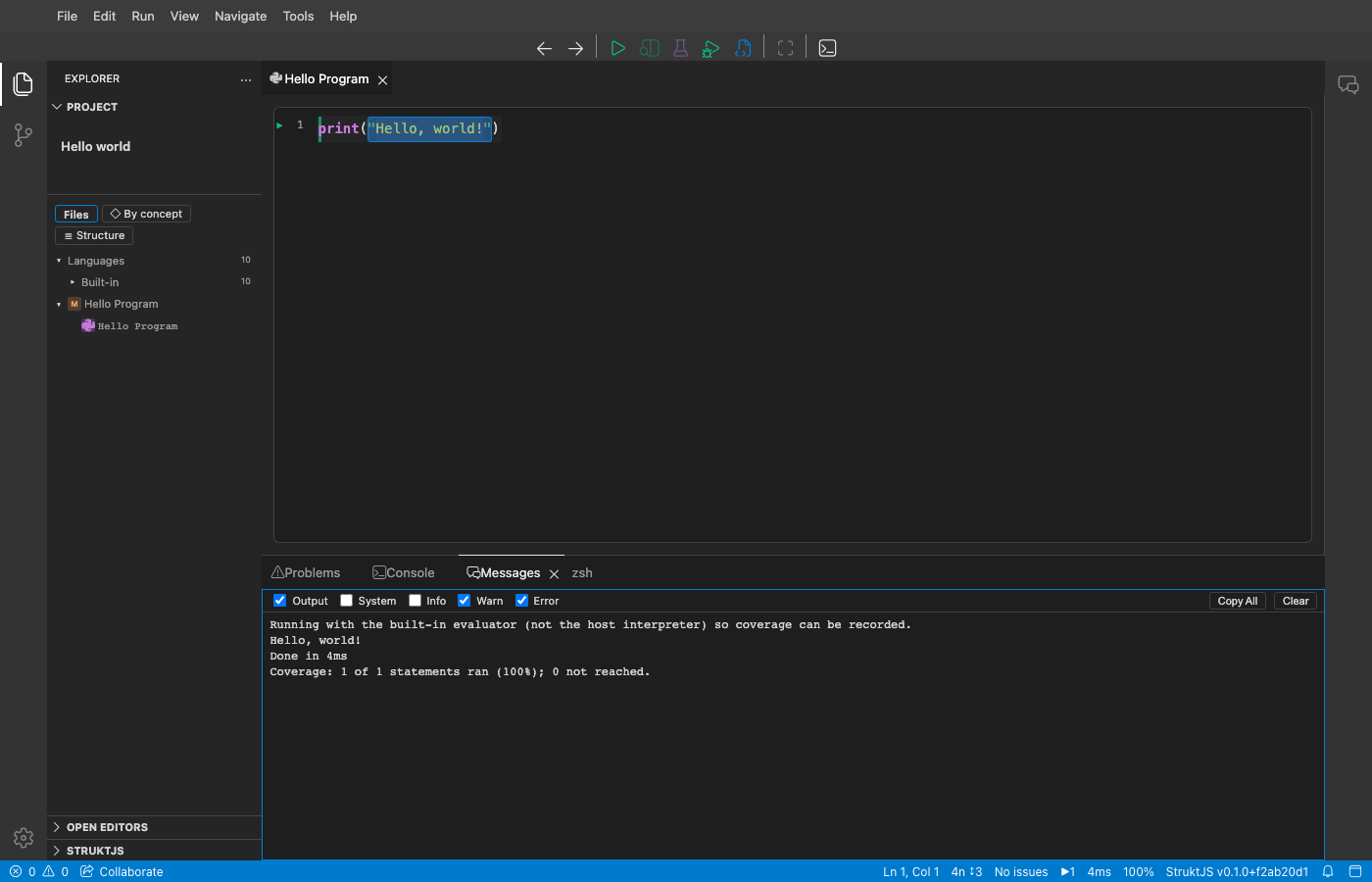
- The Messages view ends with a line such as
Coverage: 9 of 9 statements ran (100%); 0 not reached.Comments and the file itself are not counted. A run that failed part-way still reports what ran before the failure. - To remove the marks choose Run > Execute > Clear Coverage, or do a plain Run Program. Editing does not clear them, so run again after a change.
Run with Coverage always uses the built-in evaluator, even for a language whose normal Run hands the program to a real Python (such as Core), because only the evaluator can say what ran. The Messages view tells you when that happens: "Running with the built-in evaluator (not the host interpreter) so coverage can be recorded." Like Run, it refuses to start while there are errors, and refuses samples that are marked illustrative-only.
Coverage of the code under test
When you run tests, the Tests pane adds Coverage of the code under test: N% (x/y expressions, a/b branches)
with a bar. Under it, ○ head lines are expressions that never evaluated and ◐ head: branch lines are branches
that never ran; the first 20 of each are listed and each is clickable. This counts expressions and branches, so
its figures differ from the statement figures of Run with Coverage.
The block appears for languages whose tests run on the built-in evaluator. A Core program's assertions run on a real Python, which does not record which expressions ran, so its Tests pane shows no coverage block (rather than a false 0%); use Run with Coverage for Core.
Mutation run
- Open a model that has test suites (see Writing and running tests).
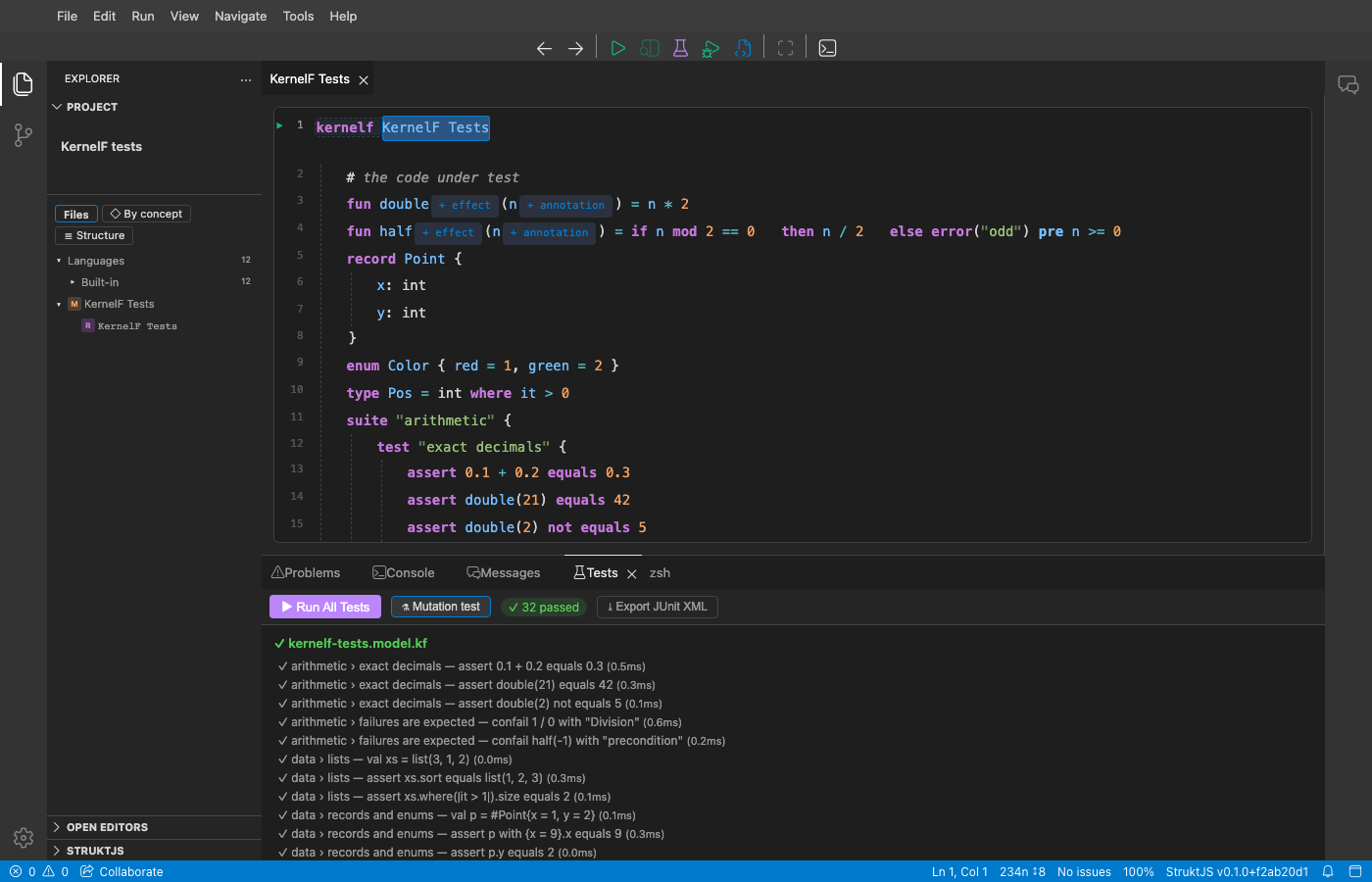
- Open the Tests pane and click Mutation test.
- Wait. Every mutation re-runs all suites, so a big model takes a while. Cancel stops it; the pane then says "cancelled" and scores what was tried.
- Read Mutation score: P% (k/n mutations caught). Each survivor is listed as
survived: + → -. Click one to jump to the changed code, then add a test that would fail for that change. - When every change was caught the pane says "Every change was caught by a test."
What gets changed (KernelF tests): arithmetic operators swapped in pairs (+/-, *//), comparisons flipped
(</>, <=/>=, ==/!=), &&/|| swapped, every number increased by 1, every boolean negated. Only code
outside the test suites is changed, and always on a copy: your model is not touched.
Limits to know:
- Only the KernelF test language supports mutation today. The Mutation test button is greyed out on any other model, with a tooltip saying that mutation testing needs a test language that supports it and tests in the model. It is re-checked when the pane is shown, when you point at the Tests toolbar and after a test run. The KernelF tests sample is the one to try.
- The tests must all pass first. Otherwise the run stops with "mutation testing needs a model whose tests pass".
- A Cancel button appears while it runs.
Every control
| # | Button/Option | What it does | Shortcut | Gotcha |
|---|---|---|---|---|
| 1 | Run > Execute > Run with Coverage | Runs the open root with the evaluator and paints statement coverage | — (Alt+F5 in the standalone webview only) | Refuses to run with errors |
| 2 | Run > Execute > Clear Coverage | Removes the coverage bars | — | A plain Run also clears them |
| 3 | Green / amber / red bar | Ran / partly ran / never ran | — | Only statements carry bars |
| 4 | Mutation test (Tests pane) | Starts a mutation run | — | KernelF only (greyed out with a tooltip elsewhere); needs passing tests |
| 5 | Cancel (Tests pane) | Stops the mutation or test run | — | |
| 6 | survived: ... row |
Jumps to the mutated spot | Click | |
| 7 | Coverage block of the Tests pane | Shows expression and branch coverage | — | Different measure from Run with Coverage |