Multiple projects and windows
Audience: people who work on more than one project · ~5 min read · Prerequisites: Project folder anatomy
What it is
Each window (a browser tab, or a desktop app window) has one active project at a time. To work on two projects side by side, open a second window. Windows do not share an open project, but they share your list of recent projects. Models inside one project can reach each other; models in different windows cannot.
When you'd use it
- You are comparing two projects, or copying work from one to another.
- You want a clean window without the layout of the one you are in.
- You keep a "library" project of shared languages and models.
Open a second window
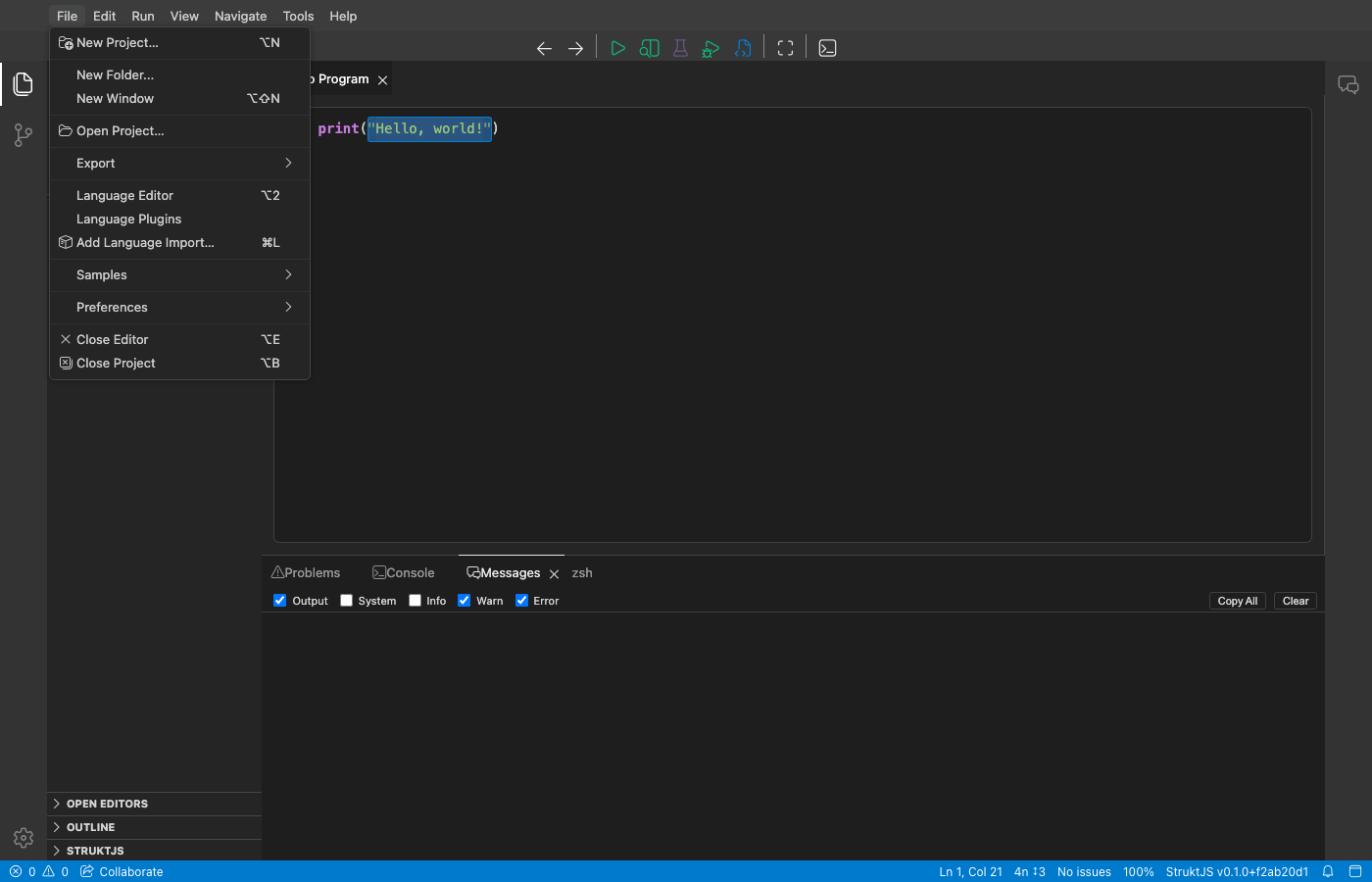
- Choose File > New Window.
- In a browser it opens a new tab or window with an empty workbench: the Welcome screen and no restored tabs or panels. Opening the address in a new tab by hand behaves differently: it restores the layout last saved. In the desktop app it opens a separate native window.
- In the new window choose File > Open Project…, File > New Project…, File > Samples > Load Sample…, or click an entry under Recent Projects.
What is shared and what is not
| Per window | Shared by windows | |
|---|---|---|
| Active project and open models | Yes | |
| Open tabs and panel layout | Yes (restored when that window reloads) | |
| Languages defined by a project | Kept apart per window: two windows can each have a project-defined language of the same name without clashing | |
| Recent projects, preferences, bookmarks | Yes, stored once for the browser profile or the app | |
| Files on disk | Yes. Both windows read and write the same folder |
The same project in two windows
If you open the same folder in two windows you are editing the same files. Each window reloads a model when its file changes, but two people typing at once in two windows can overwrite each other's edit. Prefer one window per project, or use a Live Model Session to edit together.
Projects attached to a project
A project can have attached projects: other project folders whose languages and models become available to the active one, so a "library" project can supply languages. The attached set is remembered per project and re-attached when that project opens. The Model Console shows them as project.attachedProjects and reaches one as project/<slug>, and model/<name> looks across every open project (put <project-slug>/ in front to say which). In this build I found no menu command or button that attaches a project; the feature is used by code and by the stored attachment list. If two attached projects define languages with the same name, the one from the project earlier in the order is used and the later one is reported as shadowed in the load messages.
Every control
| # | Button/Option | What it does | Shortcut | Gotcha |
|---|---|---|---|---|
| 1 | File > New Window | Opens an empty window | none | Browser: pop-ups must be allowed |
| 2 | File > Open Project… | Replaces this window's project | Ctrl/Cmd+K, F, O | Other windows keep theirs |
| 3 | File > Open Recent Project… | Opens a recent project in this window | Ctrl/⌘+K, F, R | |
| 4 | File > Close Project | Closes this window's project | Ctrl/Cmd+K, F, C | Window stays open |
| 5 | Recent Projects (Welcome / empty area) | Click to open | none | Shared across windows |
| 6 | Toggle Reopen Last Project on Startup | Reopens the last project at launch | Not applied to a New Window |